Some products and product categories do not have visible prices, even when logged in. In some other cases, the price is visible, but the site still does not allow you to proceed with the order.
In these cases, to obtain the price (including any shipping costs) and proceed with an order, you will need to request a quote.

These products are identified by the "Request a Quote" label on the image and/or by the banner visible on the product page.

TO ASK A QUOTE:
1) From the product page you are interested in
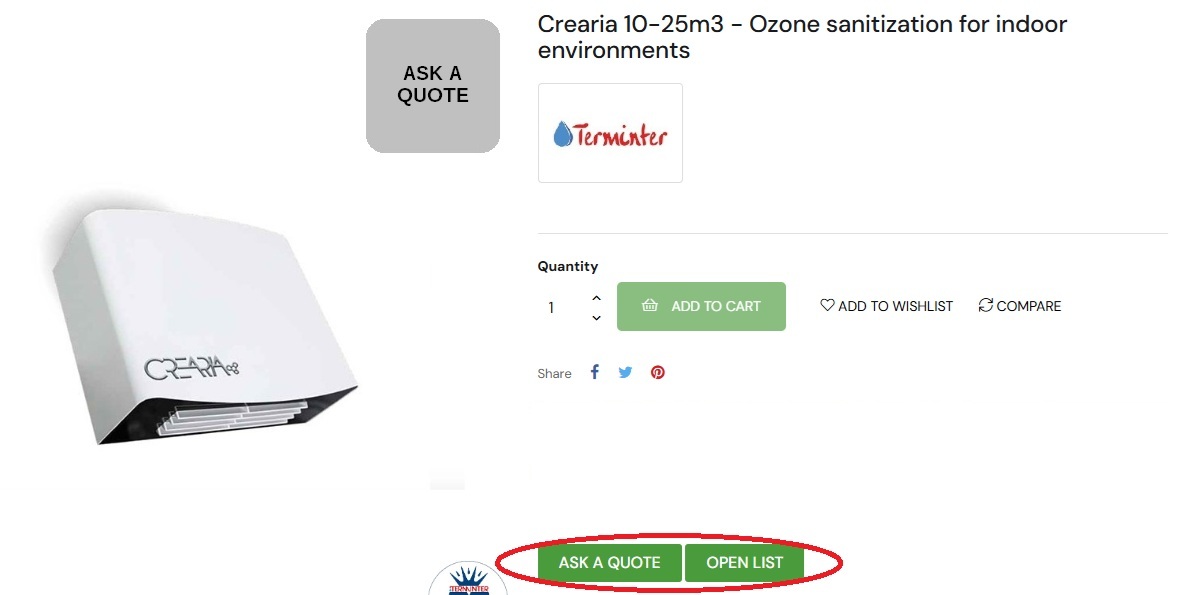
2) Click the "Ask a Quote" button in the red circled area
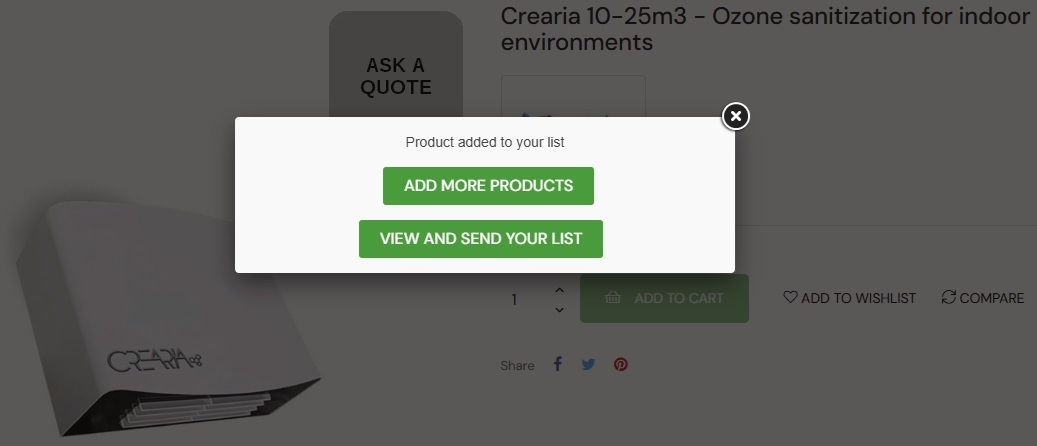
3) choose in the popup that will open whether you want to continue adding other products to the quote ("Add more products") or if you want to complete the procedure ("View and send your list")
4) if you want to add other products, follow the same procedure indicated on the page of each product
5) to complete the procedure, click on ("View and send your list") from the popup, or on ("Open List") present on each product page
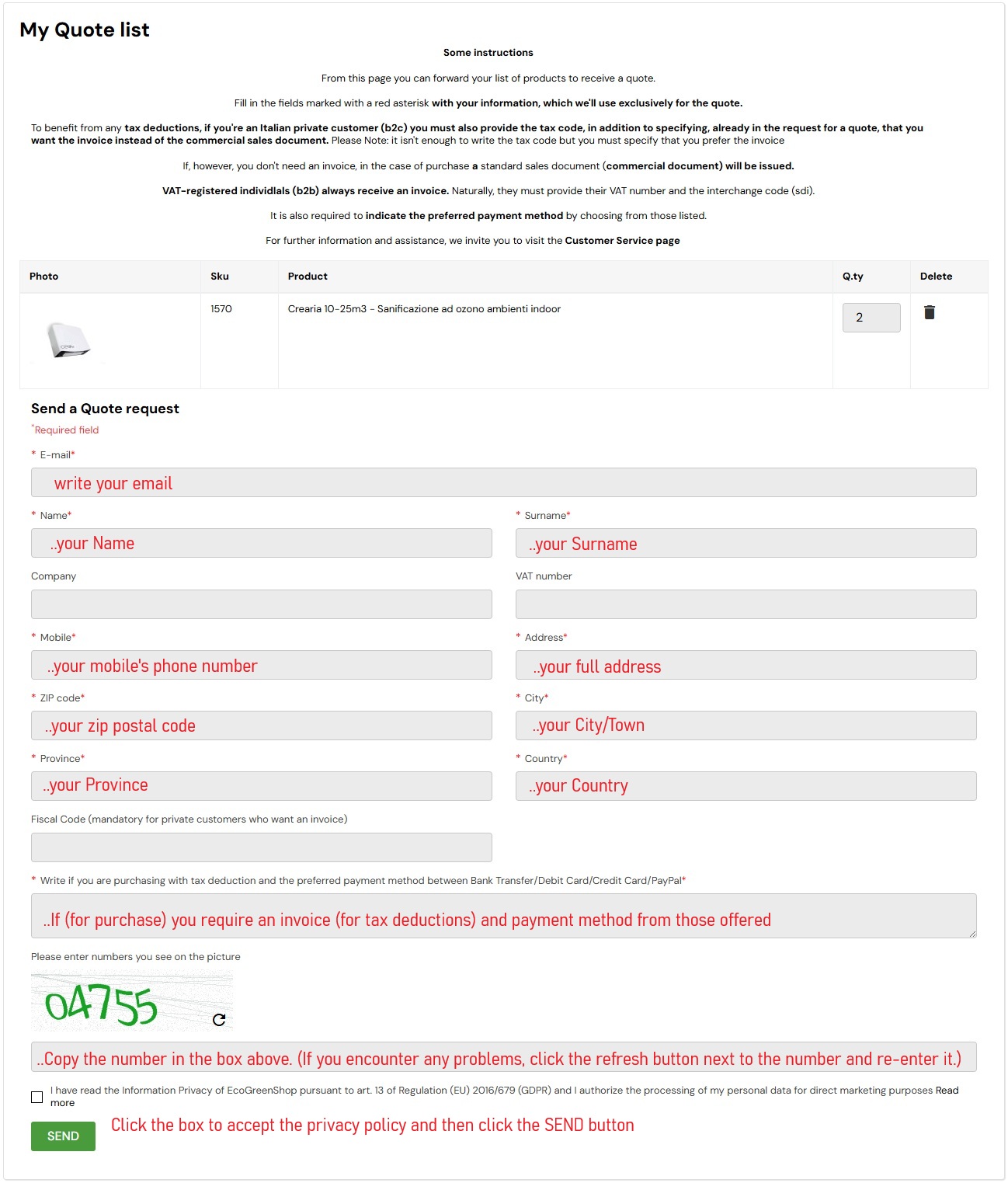
6) all the chosen products will be visible on the ("My quote list") page. It is possible to indicate different quantities for each product and delete any products inserted by mistake
7) once the list has been completed, enter the requested personal data. Some of these data are mandatory and it is not possible to send the request if they are not filled in
8) in particular, among these data you are asked to specify whether you want an invoice and your preferred payment method. This information is useful for us to establish whether a private individual requires an invoice (normally this is not requested and we issue a normal commercial document). Furthermore, since extra discounts may be available based on the preferred payment method, it is useful to indicate your preference
9) then enter the anti-spam verification numbers by copying them into the field below
10) tick the box to accept the processing of personal data for direct marketing purposes (it would be impossible to send the quote otherwise)
11) click on SEND
If the procedure has been correctly carried out, and if the data entered is correct, in addition to viewing a confirmation message on the screen, you will receive an email (to the address entered) with a summary of the data. Subsequently, within 24 working hours, we will send our quote.
We remind you that we do not provide prices by telephone or via WhatsApp. Normally it is sufficient to log in to the site to view the prices and to see the active offers it is possible to simulate the purchase by proceeding with the checkout, or by also entering the shipping data and the payment method preference.
However, products that have the "Ask a quote" symbol do not have a visible price.


